3D in the glasses, held still in the room
Display glasses are a monitor you wear: whatever you look at is stuck to your face. This app reads the motion sensor in a pair of RayNeo Air 3s Pro glasses and draws a separate image for each eye, so a 3D model, or any window on the Mac, stays put in the room while you look around it.
- Role
- Architect & director
- Status
- Version 1.0, for sale at $9.99
- First build
- Two days
- Runs on
- macOS 14+, and Windows
It is on sale as Stereoscopic 3D Glasses Viewer, a Mac app for $9.99 from this site or the Mac App Store, and it now also plays iPhone spatial videos in 3D and VR180 and 360-degree videos you look around in. See the app and buy it.
- macOSSee the app
- WindowsIn testing
- Mac App StoreAvailable now
- Microsoft StoreComing soon
Where it stands today: the Mac app is on sale here and on the Mac App Store, and the Windows version runs and is being tested on real glasses.
Why build it
I wanted to see the Strix airframe in real 3D, not as a picture on a flat screen. The glasses can already show a separate image to each eye: switch them to 3D mode and the left half of a 3840 by 1080 picture goes to the left eye and the right half to the right. What nothing on the Mac does is draw those two halves correctly and keep the scene still when you turn your head.
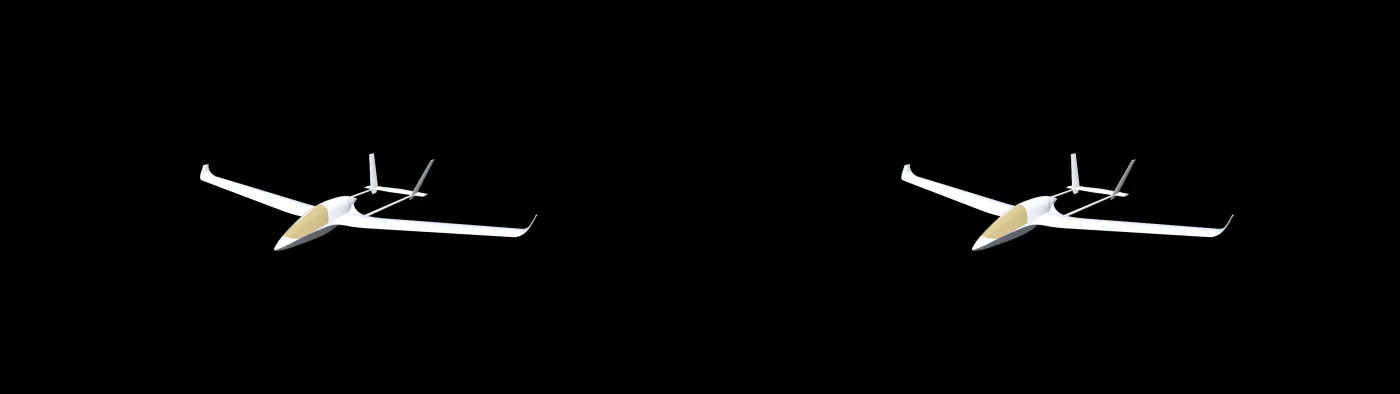
First version, and why it moved out of the browser
The first version ran in Chrome, using the browser's access to USB devices to read the glasses' motion sensor. It worked, but it fought the browser the whole way: a full-screen window that kept landing on the wrong display, permission prompts, and a webcam experiment for tracking head position that stuttered no matter how the work was split up. I dropped the webcam and rebuilt the viewer as a native app, and the stutter went with it.
Head tracking
The glasses send motion readings 500 times a second. The protocol comes from an open-source driver project; before trusting its axes, I captured raw readings while turning and nodding and replayed them to confirm the gyroscope and accelerometer agree, to within about two thirds of a degree. The app reads the sensor on its own thread with the hardware's own timestamps, corrects slow tilt drift against gravity, and predicts 20 milliseconds ahead to hide the display's delay. Fast head turns stay locked.
Comfortable depth at any distance
A fixed distance between the two virtual eyes only suits one viewing distance: zoom in and the near side of a model splits into two images the eyes cannot fuse. The app picks the eye spacing every frame so the nearest and farthest points of the model stay within a small depth budget, 1.2 percent of the image width, the same approach stereo filmmakers use.
True size
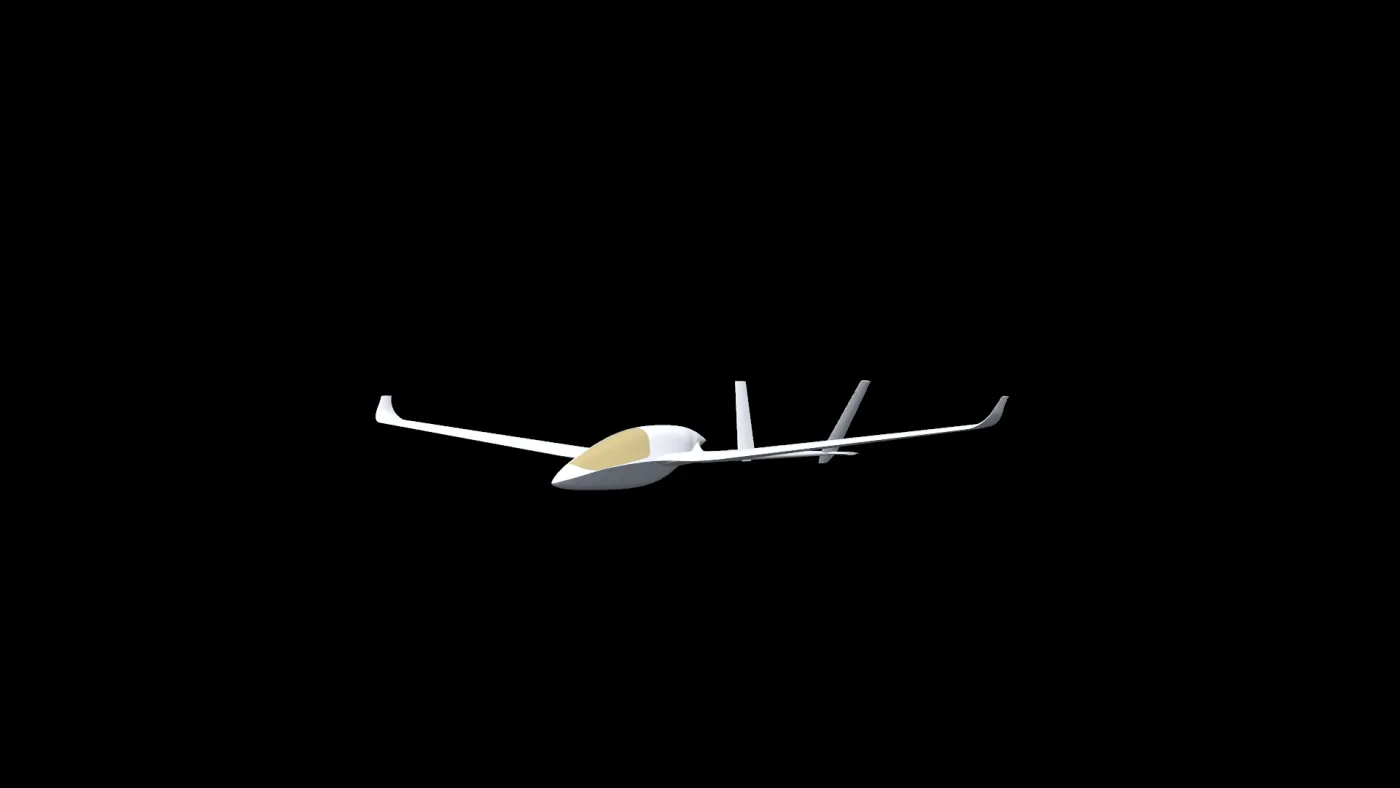
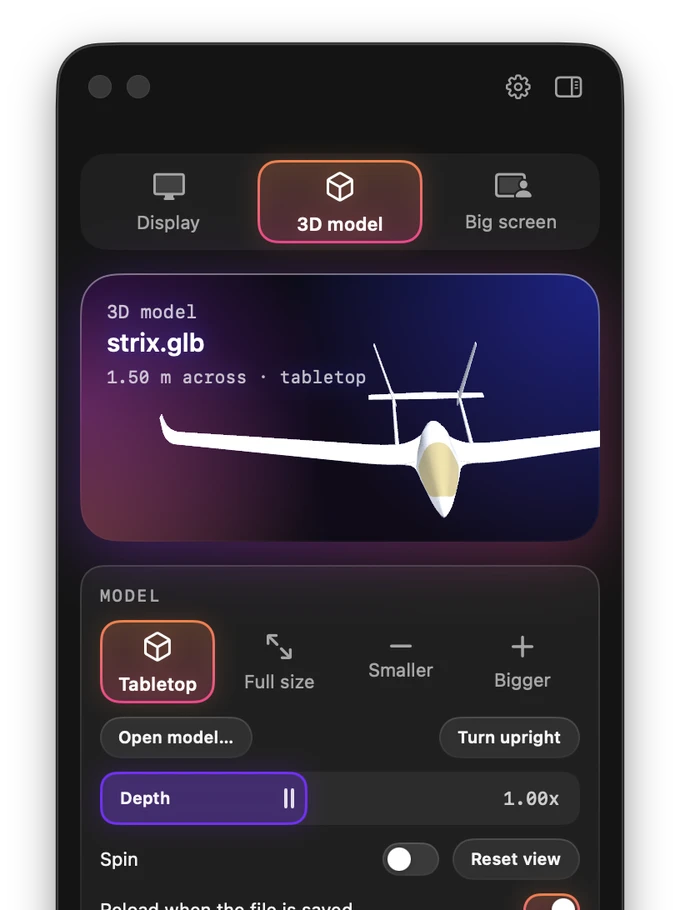
Tabletop mode shows any model about a metre and a half across. Full-size mode does the opposite and aims to be honest: the model at its real dimensions, a real 63 millimetre eye spacing, the glasses' real field of view, and zero depth at the distance where the glasses actually focus. The Strix appears with its full 13 metre wingspan; you stand on the ground at eye height and walk around it with the keyboard like a game, or put your head in the cockpit.
Any window as a big screen
The same head tracking works for flat content. The app captures a window through macOS's own picker, so it only ever sees what I choose, and shows it as a screen fixed in the room: flat, curved around me, or a tilted dome like an IMAX theatre, or plainly fitted to the view like a second monitor. Every point of each shape sits at the glasses' focus distance, so the whole surface stays sharp. If I settle facing somewhere new, the screen eases back in front of me after a delay and at a speed I can set.
Choosing the big screen from the regular-display mode kept bouncing back after a second. I added a log of every mode change and its cause, and the first run showed it: macOS closes the window picker whenever the displays rearrange, and the glasses were still switching into 3D when the picker opened. The app read that as me cancelling.
The fix was to wait until the glasses finish switching before asking. The lesson was to measure before guessing: my first theory was wrong.
Video, including the kind your phone already shoots
Version 1.0 plays video on that same screen. An iPhone 15 Pro or later records spatial video with two eye views inside one file; the app decodes both and sends each eye its own, so home footage has real depth on a screen that stays fixed in the room. Ordinary side-by-side and top-and-bottom 3D files work too, and so does 3D video playing in a shared window, which covers YouTube 3D and Plex.
VR180 and 360-degree video is different: instead of a screen in front of you, the footage wraps onto half or all of a sphere 40 metres out, and you turn your head to look around it. The app works out which kind a file is from its projection metadata first, then its name, then its shape, because a square 360 file is usually stacked stereo while a 2:1 VR180 file is usually side by side. When it guesses wrong, the panel overrides it in one click.
It follows the hardware
Switching the glasses into 3D with their own buttons opens the app; switching back to 2D hands the glasses back to macOS as an ordinary display. That meant learning how the switch actually behaves, which takes about 1.6 seconds and passes through a moment where the display reports a size of one pixel and then disappears.
How it was built
I specified and directed this, working with AI coding agents on the Swift. Swift is not my language; the decisions are mine: what the app should do, how it should feel, which numbers are right, and when something is not good enough. Every change was tested on the glasses on my head, which is where most of the real requirements came from.
Shipping it meant the parts that are not code as well: an Apple Developer account, a signed and notarized build that a stranger's Mac will open without a warning, a product page and checkout, a privacy policy and a support page, and an update feed the app checks once a day so buyers hear about fixes. Version 1.0 went on sale here in September 2026. Apple approved it for the Mac App Store on October 1, 2026, after two rounds of changes for App Review.
The same thing on Windows
The glasses are a monitor and a USB sensor, so nothing about the idea is Apple-only. A Windows version is being built the same way: Direct3D 11 instead of Metal, Windows' own screen capture instead of Apple's, and the head-tracking maths ported line by line. The first thing I checked was the risky part, and the protocol behaves identically: the same commands, the same report layout, the same 500 readings a second.
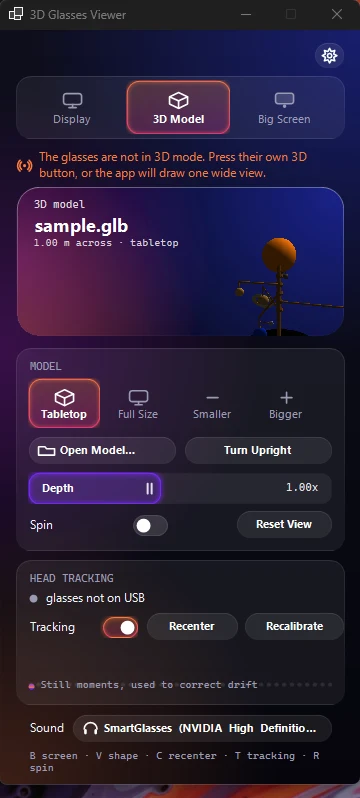
One difference is worth stating plainly, because it changes what the app can promise. On a PC without a USB-C video output, the glasses reach the machine through an adapter that carries the picture but not the sensor, so head tracking is unavailable there even though everything else works. That belongs in the listing, not in the small print.
A second one cost an evening and is worth remembering: the curved and dome screens looked like they did nothing. The shapes were real, but their curve was worked out from the screen's width and distance, and a 4 metre screen 6 metres away wraps 38 degrees, a bulge of about 33 centimetres that no eye picks out. Curved and dome carry their own wrap angle now, as they do on the Mac. Deriving a shape from numbers chosen for a flat screen was the mistake.
Honest limits
- The glasses sense rotation, not position. Leaning in does not move you closer; the keyboard does.
- Without a compass, heading drifts slowly over time. Recenter and the follow setting handle it; they do not remove it.
- The field of view and focus distance behind true-size mode come from the manufacturer's published figures, not from my own measurement.
- It is tested on one model of glasses, the RayNeo Air 3s Pro. Other RayNeo models probably work, since they speak the same protocol, but I have not held a pair.
- Spatial video needs macOS 14.2 or later for both eyes; on 14.0 and 14.1 it plays flat.
Seeing the code
The repository is private. If you are evaluating me and want to read the code or walk through the architecture, ask me and I will arrange read access or a screen share.